Table of Contents
ToggleA home theater PC (HTPC) transforms your living room into a full-featured entertainment hub without the bulk of traditional media furniture. Instead of juggling streaming boxes, sound systems, and outdated components, a single, compact machine handles 4K movies, gaming, live TV, and music with the processing power you actually need. For homeowners tired of subscription sprawl and limited interface options, building a home theater PC offers surprising flexibility and control. The good news? You don’t need an engineering degree. This guide walks you through selecting the right components, assembling them properly, and configuring the software to get your system running smoothly.
Key Takeaways
- A home theater PC consolidates streaming, gaming, and media playback into one compact, customizable device, giving you full control over your entertainment setup without subscription sprawl.
- Prioritize efficient, quiet components like a mid-range CPU (Intel Core i5 or AMD Ryzen 5), 16 GB RAM, and a dedicated quiet cooler to keep noise under 30 decibels during movies.
- Pair a fast 500 GB–1 TB NVMe SSD for your OS with 4–8 TB of standard HDDs for media storage to balance speed and affordability without overpaying for high-capacity SSDs.
- A quality 500W 80+ Gold-rated power supply and proper airflow management—including vibration-damping brackets for drives—ensure long-term reliability and silent operation in your living room.
- Choose Windows 11 for universal app compatibility or Linux with Kodi for a lightweight, optimized setup, then organize media with consistent folder structures to enable automatic metadata matching.
- At $700–$1,200, a home theater PC is more cost-effective than multiple streaming devices and offers a 5–7 year lifespan with minimal maintenance beyond dust filters and hard drive health checks.
What Is a Home Theater PC and Why You Need One
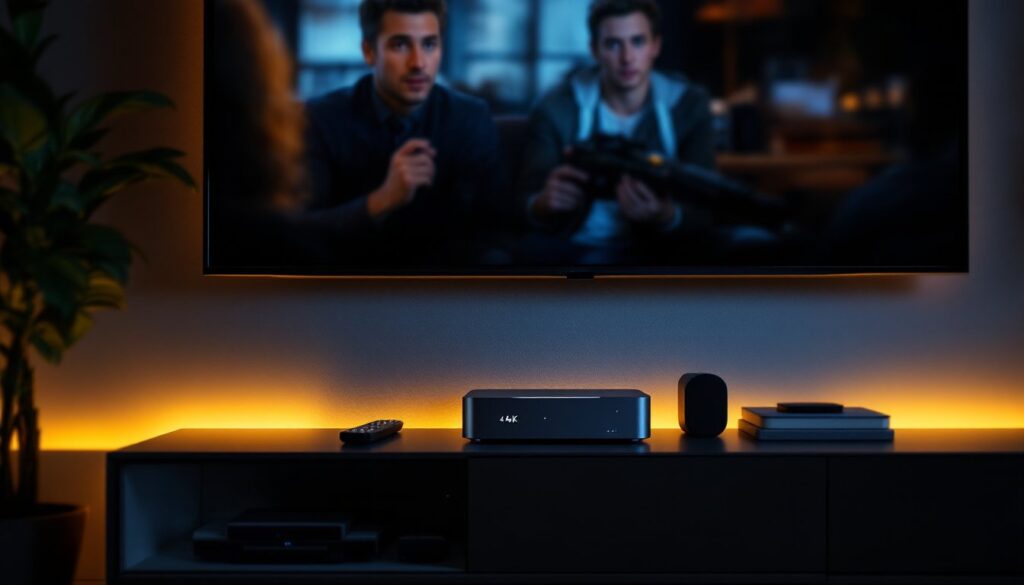
A home theater PC is a small-form-factor computer designed to sit next to your TV and handle media playback, streaming, and entertainment tasks. Unlike a gaming desktop or workstation, an HTPC prioritizes quiet operation, low heat output, and easy integration with your existing A/V setup. It connects to your TV via HDMI, speakers through optical or analog audio, and your network through Ethernet or Wi-Fi.
The appeal is straightforward: consolidation and control. Instead of maintaining separate devices for Plex media server, streaming apps, and retro gaming emulation, one HTPC does it all. You’re not locked into whatever interface your smart TV manufacturer decided was “intuitive.” You pick the operating system, the remote, the media player software, everything. It’s your box, your rules.
For cord-cutters and media enthusiasts, an HTPC is especially valuable. Popular Mechanics has extensively covered DIY home theater setups, showing how purpose-built systems beat one-size-fits-all solutions. Yes, a streaming stick or gaming console works, but neither offers the freedom or upgrade path a proper HTPC does. Setup takes a weekend: the benefit lasts years.
Essential Components for Your HTPC Build
Your HTPC doesn’t need bleeding-edge gaming hardware. Focus instead on efficiency, quiet cooling, and reliable connectivity. Start with a quality small-form-factor case, something like a Silverstone Raven or NZXT H510 Flow Mini. These fit on a shelf and leave room for proper ventilation.
CPU, GPU, and Storage Considerations
For the processor, an Intel Core i5 (14th gen or current equivalent) or AMD Ryzen 5 7600 handles 4K transcoding and light gaming without overheating. Don’t waste money on a top-tier CPU: HTPC work doesn’t demand it. Pair this with 16 GB of RAM, it’s plenty for smooth playback and multitasking. Sixteen gigabytes is the sweet spot: you won’t notice a benefit from 32 GB for typical HTPC duties.
Storage strategy matters more here. Use a 500 GB to 1 TB NVMe SSD for your operating system and applications, fast boot times and snappy interface navigation make a real difference when you’re fumbling for the remote. Separately, add 4–8 TB of standard 3.5-inch HDDs (7200 RPM or NAS-class drives like WD Red or Seagate IronWolf) for media files. The SSD keeps your system responsive: spinning drives hold your library without the premium cost of SSDs at that capacity.
For the GPU, you have two paths. An integrated GPU (built into your CPU) saves power and heat, perfectly adequate for 4K movie playback and streaming. If you plan light gaming or hardware-accelerated transcoding, a dedicated entry-level card like an NVIDIA RTX 4060 or AMD RX 7600 adds capability without turning your living room into a sauna. The marginal power consumption and heat output are worth it only if you’ll actually use those features. Don’t buy it just in case.
Cooling and Power Supply Requirements
Quiet operation is non-negotiable in a bedroom or living room. Choose a quiet CPU cooler, a Noctua NH-L9i or BeQuiet Dark Rock TF fits most small cases and keeps noise below 30 decibels under load. Proper case fans matter too. Two or three 120–140 mm fans moving slow and steady beat a single 80 mm fan screaming at high RPM.
For the power supply, grab a 500W 80+ Bronze or Gold-rated unit. This covers your CPU, GPU, storage, and any future upgrades. Efficiency rating matters: Bronze or Gold means less wasted energy as heat. Avoid cheap no-name PSUs: a quality unit from Seasonic, Corsair, or EVGA runs cooler and lasts longer. A semi-passive design (fan stops when load is low) is ideal for an HTPC.
Final consideration: airflow and mounting. Mount your drives on vibration-damping brackets or in a separate external enclosure if your case is tight. Vibration noise from hard drives rattles through a thin case. Prop the case slightly off the shelf to allow intake air underneath. Your future self will thank you when you’re not hearing hum and whine during movies.
Setting Up Your HTPC Operating System and Media Software
Once your hardware is assembled and stable (run it for 30 minutes stress-testing before final installation), you’ll need to pick an OS and media software. Your main options are Windows 11, Linux (Ubuntu), or dedicated HTPC OSes like LibreELEC.
Windows 11 is the safest choice for most homeowners. Compatibility is near-universal. Streaming apps (Netflix, Disney+, Amazon Prime) work out of the box. If you want Plex media server running in the background while you’re streaming something else, Windows handles that seamlessly. Use a lightweight media center frontend like Kaleidescape, MediaPortal, or even just Windows 11’s built-in TV app for a remote-friendly interface. Minimize clutter: launch what you need, nothing more.
For a more optimized, lightweight setup, Linux with Kodi is the purist’s route. Kodi is a free, open-source media center that runs on nearly any hardware and plays almost any file format. It’s powerful but requires comfort with command-line setup. Not for someone who wants to press a button and forget it.
Regardless of OS, keep your media organized. Use consistent folder structures (e.g., /Movies/2024/ and /TV Shows/Showname/Season 1/). Digital Trends regularly reviews home automation and streaming setups, and organization is always flagged as the biggest time-saver. Inconsistent naming breaks automatic metadata matching in Kodi or Plex, forcing manual tagging.
For remote control, invest in a dedicated HTPC remote like a Harmony Hub or Logitech Harmony Elite. It learns IR signals from your existing equipment and lets you control everything from one device. Avoid cheap Bluetooth remotes that require line-of-sight and have flaky pairing. A wired Ethernet connection (if possible) beats Wi-Fi for streaming stability, especially 4K content.
Budget Tips and Long-Term Maintenance
A solid HTPC costs $700–$1,200 to build new, depending on storage and GPU choices. Compare that to a $600 TV plus a $150 streaming box plus a $100 sound system: suddenly an HTPC’s flexibility looks smart. You’re investing in hardware you control, not renting functionality from a manufacturer.
To save money upfront, buy refurbished or used components where it makes sense. A used GTX 1080 from eBay costs half what a new RTX 4060 does and still crushes 4K playback. Server-grade CPUs (Intel Xeon, older Ryzen) can be found cheap on the used market and sip power. Just avoid used PSUs and RAM, the risk isn’t worth it.
Long-term, your HTPC is low-maintenance. Dust filters on case fans every 6 months. Check hard drive health quarterly using free tools like CrystalDiskInfo (Windows) or GSmartControl (Linux). Back up your OS and configuration to an external drive. When (not if) a drive fails, you pop it out, install a replacement, and restore from backup. No panic, no downtime.
Good Housekeeping’s product testing often emphasizes durability and reliability over flash, philosophy that applies here. Buy quality components once rather than cheap components twice. A $120 seasoned power supply outlasts a $50 lottery ticket. Your HTPC should run quietly for 5–7 years with minimal intervention.
Conclusion
Building a home theater PC puts entertainment on your terms. With careful component selection, modest assembly skills, and proper software configuration, you’ll have a system that streams, plays local media, emulates retro games, and adapts to whatever you want to throw at it. Start with a solid foundation, quiet cooling, efficient power, and reliable storage, and you’re set for years of use. It’s a weekend project that pays dividends every time you hit the remote.