Table of Contents
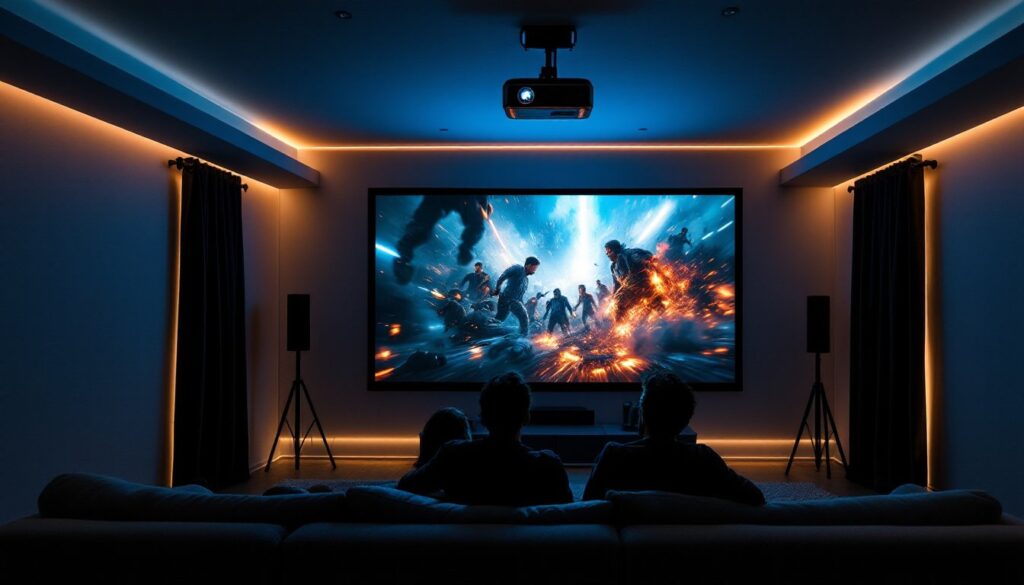
ToggleThere’s something magical about turning your spare bedroom, basement, or garage into a personal cinema. A home theater projector does what a TV never can, it fills a wall with light, pulls you into the story, and transforms movie night into an event. If you’re tired of squinting at a 55-inch screen from your couch, or you’ve been putting off that dream home theater setup, now’s the time. The projector market in 2026 offers solid options at nearly every price point, and the technology is more accessible than ever. Whether you’ve got $300 to spend or $3,000, there’s a home theater projector that’ll deliver the big-screen experience you’re after.
Key Takeaways
- Home theater projectors deliver cinema-scale immersion by filling your entire field of vision with 100-inch+ images, transforming movie nights into events that TVs simply cannot match.
- Lumens, resolution, and contrast ratio are the critical specs—aim for 1,500–2,500 lumens in ambient light, prioritize 4K for modern streaming and gaming content, and compare contrast ratios (like 50,000:1) for deeper blacks.
- Budget projectors under $500 work well for casual viewing in dark rooms, while mid-range options at $800–$2,000 offer 4K native resolution, superior brightness, and build quality that’s perfect for dedicated home theaters.
- Throw distance and room size determine whether you need a standard projector or a premium short-throw model ($1,200+), so measure your available space before shopping.
- Plan for additional installation costs—budget $100–$300 for mounting hardware, quality HDMI cables rated for 4K, and proper ventilation to ensure your projector performs at its best.
Why Upgrade to a Home Theater Projector
A projector isn’t just a bigger screen, it’s a different way to watch. The image fills your field of vision in a way that immerses you completely. You’re not watching a movie on a screen: you’re inside the frame. That’s the difference between a standard TV setup and what a home theater projector delivers.
Size is the obvious win. A projector can throw a 100-inch, 120-inch, or even larger image from a single compact unit mounted on a ceiling or shelf. That’s cinema-scale viewing in your own space, without the ticket prices.
But there’s also the flexibility factor. A projector lets you use the wall you want. Your living room wall? Your bedroom ceiling? A painted projection screen in the basement? All viable options. If you ever move or rearrange, the projector adapts. A TV doesn’t.
For families and social viewing, a projector also changes the energy. There’s something about gathering around a bigger image that makes sports, movies, and gaming feel more communal. And if you’re hosting movie nights or watching the big game, the projector makes everyone in the room feel equally invested.
Key Specs to Evaluate Before Buying
Before you compare models and prices, understand what the numbers actually mean. Most people glance at specs and feel lost. Here’s what matters.
Brightness, Resolution, and Contrast Ratios
Lumens measure brightness. A projector needs enough light to fill your screen with a crisp, visible image, even in a partially lit room. For a dark, dedicated home theater (lights off, blackout shades drawn), you can get away with 1,000–1,500 lumens. For a room with ambient light or daytime viewing, 2,500–3,500 lumens is safer. Basement home theaters usually fall in the middle.
Resolution is straightforward: 1080p (Full HD) vs. 4K (Ultra HD). If you’re watching streaming content, Blu-ray discs, or gaming, 4K is sharper and worth the investment, if you can afford it. Most 4K projectors are priced above $1,500, though prices have dropped steadily. Entry-level projectors at $300–$800 typically max out at 1080p, and that’s still perfectly watchable on a 100-inch screen.
Contrast ratio (often listed as 10,000:1 or 50,000:1) tells you how deep the blacks are compared to the whites. A higher ratio means darker, richer blacks and more color separation. It’s harder to judge from specs alone: you’ll want to watch a demo if possible.
Throw Distance and Lens Flexibility
Throw distance is how far the projector must be from the screen to produce your desired image size. Standard projectors have a fixed throw ratio (for example, 1.5:1 means the projector needs to be 1.5 times the screen width away). If your space is tight, you’ll need either a short-throw projector (0.5:1 to 1.0:1) or an ultra-short-throw model (under 0.5:1), which can sit almost at the wall.
Short-throw projectors cost more, often $1,000 and up, but they’re game-changers for small rooms, apartments, or any setup where mounting the projector far away isn’t practical. Measure your room before shopping. Knowing your available distance (ceiling to wall, shelf to wall) determines whether a standard or short-throw projector makes sense.
Top Projector Categories for Different Needs
The projector market breaks down clearly by budget. Here’s where to focus based on what you’re willing to spend.
Budget-Friendly Options Under $500
If you’re new to projectors or testing the waters, sub-$500 models deliver surprising value. You’re looking at 1080p resolution, modest brightness (around 1,000–1,500 lumens), and standard throw distances. Brands in this tier include Anker, Vankyo, and some entry-level offerings from bigger manufacturers.
These projectors work best in darker rooms, turn off the lights and close the curtains for the clearest picture. Don’t expect cinema-grade blacks or colors, but for casual viewing, streaming shows, or gaming in a basement or guest room, they’re solid. The trade-off: build quality can be simpler, fan noise might be noticeable, and lamp life is shorter than pricier models.
Review sites like Digital Trends’ home theater projector roundup regularly test entry-level and budget models, so you can see real-world performance before committing. Check actual user reviews too, they’ll flag reliability issues faster than marketing copy.
Mid-Range Performers for the Serious Enthusiast
Once you hit $800–$2,000, you’re in the sweet spot for home theater. This range gets you native 4K or high-quality 1080p with upscaling, brighter lamps (2,000–3,000 lumens), and significantly better contrast ratios. Build quality improves, warranties are longer, and lens adjustments are smoother.
Popular mid-range options include models from Epson, BenQ, and Optoma. Many support HDR (High Dynamic Range), which adds depth and vibrancy to modern content. If you’re building a dedicated home theater or upgrading from an old TV setup, this tier is where you’ll feel the difference in image quality.
For rooms with a bit of ambient light (a secondary living space or family room), mid-range brightness ensures the image doesn’t wash out. And if you’re gaming or watching 4K streaming services, the resolution and color accuracy matter. These projectors also tend to have quieter fans and longer lamp life (often 15,000+ hours), so your cost-per-viewing hour is lower than budget models.
Comparison resources like Tom’s Guide’s projector reviews benchmark these mid-range models side-by-side, showing you what each brings to the table.
Special mention: short-throw projectors. If space is tight, expect to spend $1,200–$3,000+ for a quality short-throw or ultra-short-throw model. The premium pays off if mounting a standard projector 8+ feet away is impossible.
When comparing specific models, also check keystone correction (the projector’s ability to adjust a skewed image) and lens shift (moving the image without rotating the entire unit). These features make installation easier and give you more flexibility in where the projector sits.
Last piece of advice: don’t skip the cables and mounting gear. Budget an extra $100–$300 for a sturdy ceiling mount, quality HDMI cables rated for 4K, and proper ventilation if you’re mounting in an enclosed space. A $1,500 projector will underperform if it’s installed poorly or overheating.
Professional installers exist if you want help, but most DIY setups are straightforward. Mount the projector, run cables (HDMI from your streaming device, power), aim it at your screen, and use the remote to fine-tune focus and throw. Popular Mechanics’ projector guide walks through testing and installation basics if you want a detailed walkthrough.